
01 / 03
LIVE TV, EPG GUIDE AND REPLAY
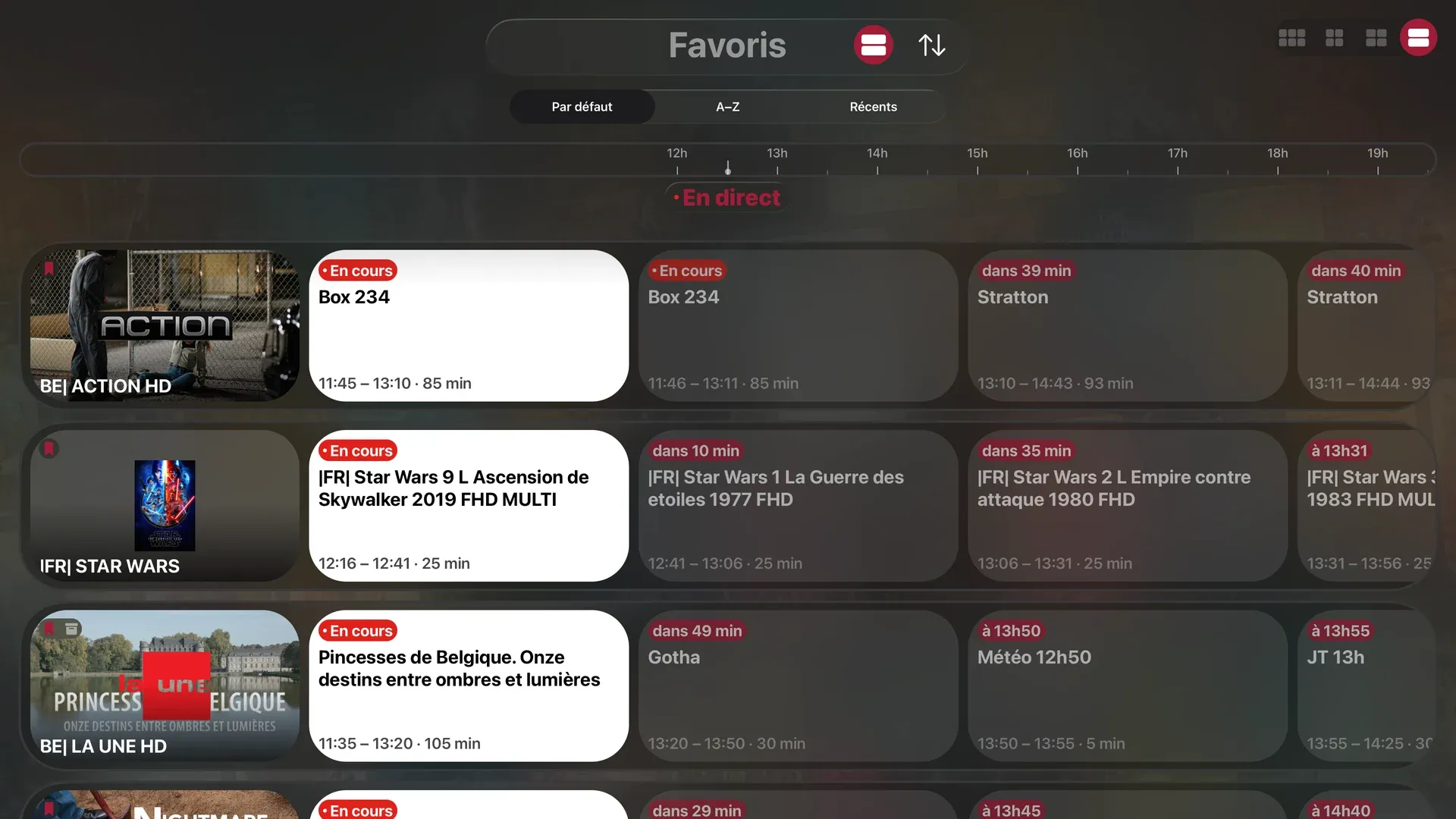
Live TV at a glance.
Pin a show and get a reminder before it starts. Replay and catch-up on Xtream playlists, whenever your provider offers them.


M3U · XTREAM · EPG · REPLAY
Live TV, EPG, replay, movies and series — beautifully organized on every screen.
Your playlist deserves opening night.

Bring the playlist.
SeeClap turns your own Xtream Codes, M3U or M3U8 source into a cinematic library: posters, synopses, cast, ordered seasons, live TV, EPG, replay and playback that resumes where you stopped. It is shaped for iPhone, iPad, Mac, Apple TV, Android and Android TV.
What it does
Every channel, what's on now and next, instant zapping, a moving preview before you even enter.
LIVE TV, EPG GUIDE AND REPLAY
Pin a show and get a reminder before it starts. Replay and catch-up on Xtream playlists, whenever your provider offers them.
MOVIES AND SERIES ENRICHED BY TMDb
High-resolution posters, synopses, ratings, trailers, actor pages. Series sorted by season, watched episodes marked. Same film in several versions? Each is tagged by language and quality — 1080p, 4K, original audio.


LIVE TV, EPG GUIDE AND REPLAY
Pin a show and get a reminder before it starts. Replay and catch-up on Xtream playlists, whenever your provider offers them.

A PLAYER THAT DOESN'T STALL
A platform-native player plus VLC and MPV, with automatic fallback when a format resists: MKV, HEVC, 4K, HLS or TS.
Audio and subtitle tracks selectable, external OpenSubtitles support, pinch to reframe.
EVERYWHERE, TOGETHER

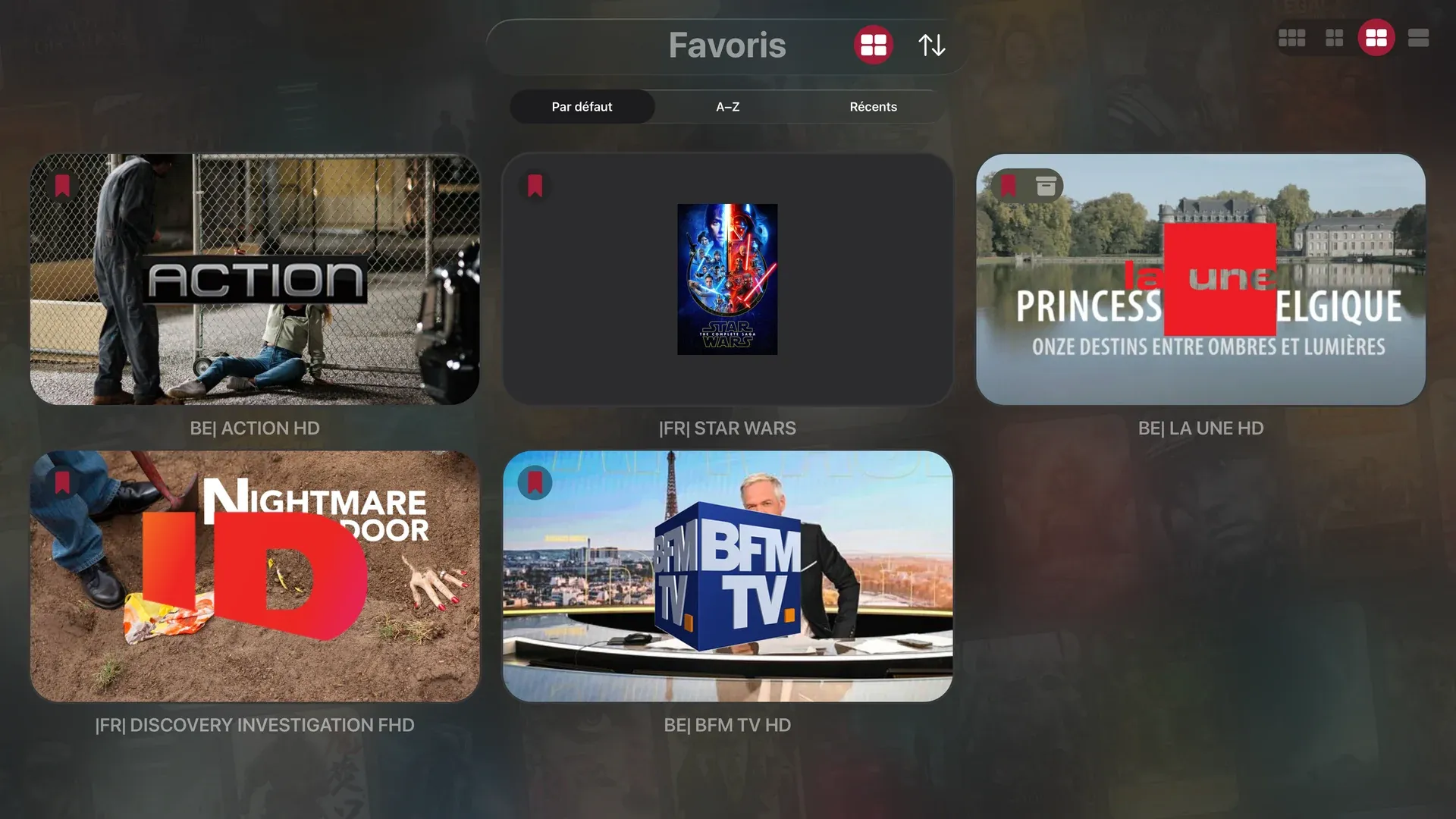
Favorites, history and playback positions synced across iPhone, iPad, Mac and Apple TV.

What it does
Paste an Xtream Codes address, an M3U/M3U8 link, or import the file.
You can also scan a QR code, or photograph the screen where your provider shows your credentials: SeeClap reads them on the device. No size limit.
Install SeeClap Server on your computer and the app finds it by itself on your network — no address, no password — then streams your own films and home videos to every screen.
Favorites, history and playback positions synced across iPhone, iPad, Mac and Apple TV.
Native apps for Apple TV, Android TV and Google TV, plus iPhone widgets. Chromecast and DLNA check stream compatibility before casting. Offline downloads and Picture in Picture are available on supported mobile devices.
Instant search, filters by genre and country, suggestions computed on your device, parental control with a PIN, light or dark theme.
Plus a network diagnostic when your provider goes quiet.
Good to know
Pricing
Explore the whole app for free, with two minutes per playback. Premium removes the limit: unlimited playback, favorites, resume, reminders, downloads, Chromecast.
 FREE, THEN PREMIUMSeeClap
Explore the whole app for free, with two minutes per playback. Premium removes the limit: unlimited playback, favorites, resume, reminders, downloads, Chromecast.


Questions & answers
No. SeeClap is a player: it provides no video content and is not affiliated with any IPTV provider. You import your own, legally obtained subscription (Xtream Codes, M3U or M3U8) and SeeClap turns it into a library.
iPhone, iPad, Mac and Apple TV, with favorites, history and playback positions kept in sync — plus Android, Android TV and Google TV. Chromecast and DLNA are supported for casting.
The whole app is free to explore, with a two-minute limit per playback. Premium removes the limit: unlimited playback, favorites, resume, reminders, downloads and Chromecast. Purchases are handled by Apple or Google and can be managed or cancelled from your store account.
No. Paste an address, open a link or import the file — there is no size limit. You can also scan a QR code or photograph the screen where your provider shows your credentials; SeeClap reads them on the device.
SeeClap keeps three playback paths ready on each platform: a native engine (KSPlayer on Apple platforms or ExoPlayer on Android), VLC and MPV. It can switch automatically when a format resists. If a channel still stalls, the built-in diagnostic can test the playlist and network without exposing credentials in the exported report.
Playlist credentials are encrypted end to end; the decryption keys stay on your devices only. See the SeeClap privacy policy for details.
You need a connection to load a remote playlist or live stream, but Premium lets you download your own films and episodes for offline playback on supported mobile devices.
SeeClap Server is an optional companion for your computer. The app discovers it automatically on the same local network so you can browse and stream your own films and home videos without typing an address or password.
Yes. Chromecast and DLNA are supported. Before sending a stream, SeeClap checks whether the receiving device can play it and offers a compatible source when your library contains one.

Start with SeeClap
Live TV, EPG, replay, movies and series — beautifully organized on every screen.
SeeClap
Xtream, M3U & Live TV
